Specialization – Music Sync
This projects goal was to make the music and soundeffects be reactive to what happens in the game. In movies the music reacts to everything. Cars crashing in slowmotion gets a dramatic synthline, the protagonist doing an epic parry with her sword gets a heavy drumhit. The travelling party going around a corner and suddenly seeing the city they where heading for is accompanied by epic strings and brass from a symphony orchestra.
In games this is easiest accomplished by cutscenes, but my goal was to get that feeling in realtime gameplay. That way you bridge the gap between games and movies, and give the player a cinematic experience without interrupting actual cinematics.
Music
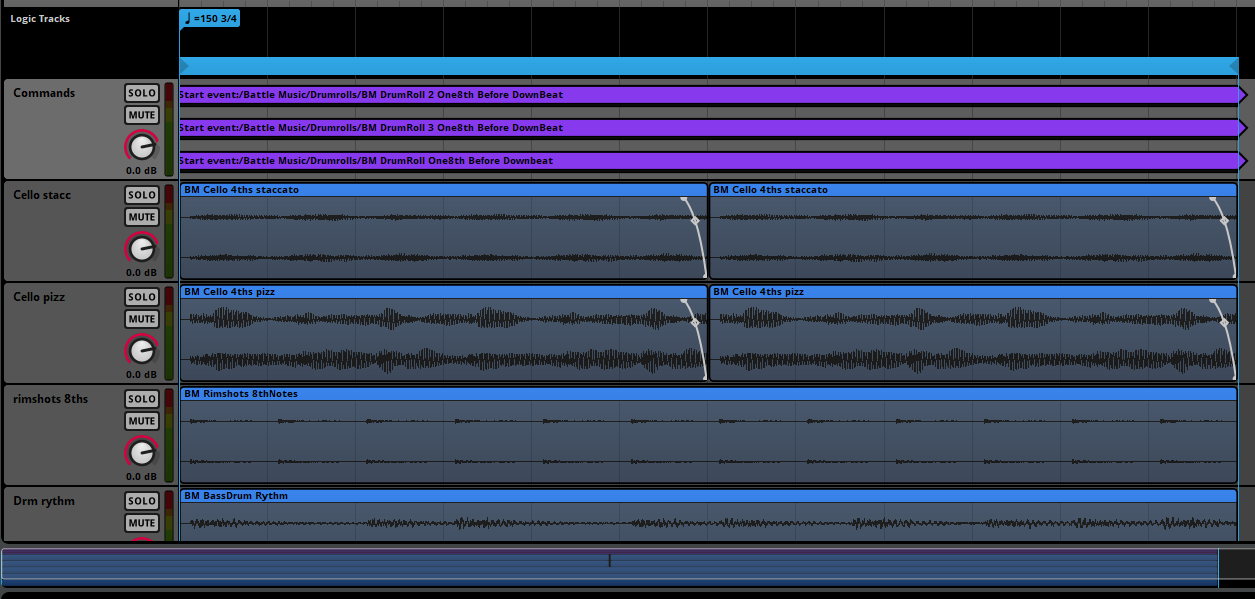
I created a number of music tracks to use in demonstrations and testing. Special care was taken to make sure the different melodies could be played anytime over the base music track and still fit into the music. This was because if a melody only where supposed to be played at the end of a bar for example, there would be a significant delay from an in game action to when the melody would be played. When testing I found that these delays where very distracting especially when playing melodies for a player attack. For my music at 140bpm, I found that a quarternote was preferable max time to wait before playing a drumroll on a smash attack from the player. A longer delay made you uncertain whether it was your action that caused the drumroll to appear or if it was just random.
Music tracks
- Drum Rythm (Base music track that’s always playing)
- Drum Quarternotes
- Drum Rimshots
- Cello Pizzicato
- Cello Staccato
- Choir 1-3
- Drumroll 1-3
FMOD Wrapper
For this project and previous game projects I’ve used an FMOD wrapper made by a teacher and a previous student. Through previous projects I’ve expanded it with debug functionality, reworked instance handling and other fixes. For example an ImGui debug-window that show me all sounds currently playing, and sound-components that allows game objects to independently own and handle the playing and stopping of their own sounds.
The “Music Sync” itself is just a class that is owned as a member variable by my audiomanager class. The only thing it needs is to call its init and update-functions to work and a get-function in my audiomanager. Thus it was quick to add to another project that uses the same FMOD-wrapper.
Feature – Play In Sync
The main part of the project was playing melodies on the beat of an already playing soundtrack. From previous experience with FMOD and some extra research, my plan was to use parameters and referenced events to play melodies. This way I could use FMOD:s quantizer features and therefore play sounds in tempo.
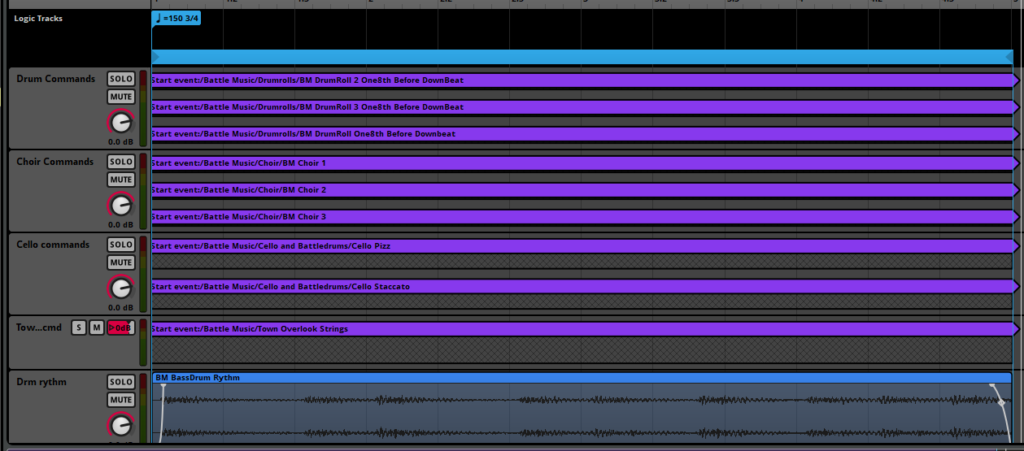
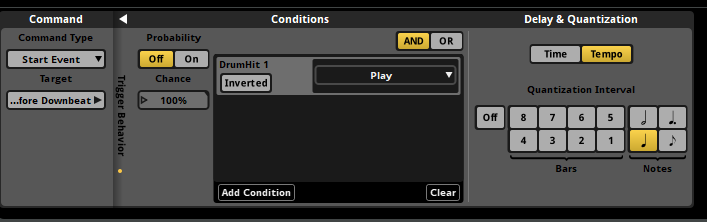
I made a “PlayInSync”-function that switches FMOD-parameters between 1 and 0 (play and stop). That way the sound designer can set up global parameters in FMOD and by command-instruments trigger events. The triggering in FMOD can be set to a number of different settings to play in time to the bpm specified and thus play in sync with the music. This was the easiest way I found worked that both fit into the timeframe of the project and also made it as simple as possible to use for the sound designer.
FMOD-delay
When experimenting with the lenght of the command-events I discovered that FMOD need some time to process a command given. When trying to have a command-instrument as a single point rather than a region, the sound was played with a small delay. If wanting to play a melody on a specific beat on a timeline, I therefore had to expand the command-event to a couple of beats before the wanted beat, and then quantize the event to play only on every other beat, every bar or another setting depending on the situation.
Slam – Without sync
Slam – With sync
Overlook strings – Without sync
Overlook strings – With sync
Re-prioritizing
The first plan for the project was to have two features. Most importantly “Music sync”, which play a sound when an action happens in the game. The other feature is a “Timepoint”-feature which would play an animation or VFX every beat, bar, or other time-point in a FMOD-timeline. A smaller feature was planned, which would play different sounds depending on how many times a FMOD-event had been triggered, to allow the designer to create more intense soundscapes as a battle or game-section went on. This took remarkably longer to implement than I thought because of struggles with how to structure the data and timers needed to have the kind of layered events this needed. Because I decided this feature was more important for the cinematic soundscape I wanted to create, the “Timepoint”-feature was scrapped because lack of time and use in the project. I took note that this feature would fit better in a more cartoony game that focuses on the music itself, and that showing things animating to the soundtrack rarely makes sense in a more serious cinematic game.
Feature -Consecutive Events
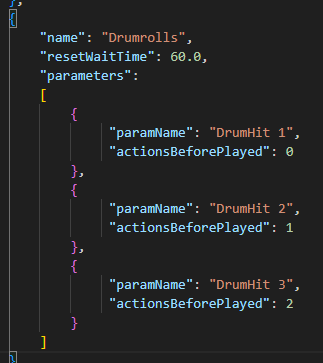
The “ConcecutiveSound” allows the designer to play more and more intense sounds and music as a battle or section of the game develops. As seen below I made a system that allows the user to set any number of FMOD-parameters in a chosen order through a json-file. The settings are saved as a “ConcecutiveSound”-struct and counts the time the “ConcecutiveSound” is triggered in engine. It also resets the counter if the “resetWaitTime” is reached which resets all parameters and therefore stops all sounds in the group, in this example when the player hasn’t killed an enemy or used an ability in 12 seconds.


Interactive Battlemusic
The same system the music uses can be used to play a more intense sound for each instance a action has happend. Through FMOD the sounddesinger can also sync the sound to the beat as explained in the “Play In Sync”-section.

Consecutive drumrolls
Further Development
The functions made could easily be connected to a scriptgraph system to allow a sounddesigner to play in sync whenever a graphnode is hit. It would also be a good idea to allow fmod parameters, timers and when a parameter should change to load automatically or through for example ImGui or a scriptgraph system. This would allow a sounddesigner to use the system more independently from a programmer which would ease the sound implementation.